
Download CopilotKit – Open‑Source AI Copilot Framework for Web, Windows, macOS, Linux
Overview
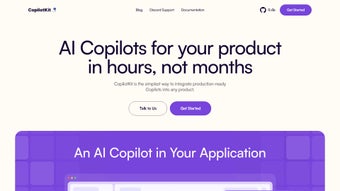
CopilotKit, created by TawkitAI, is a free, open‑source software application that streamlines the creation of AI‑powered copilots for any web‑based or native environment. The framework introduces a unique Copilot Portal that acts as a visual bridge between your custom AI logic and the host application, removing the need for cumbersome API plumbing. Whether you are building a code‑completion assistant, a help‑desk chatbot, or an intelligent form filler, CopilotKit lets you focus on conversational design while it handles the heavy lifting of data transport, security, and UI integration.
The core of the system is the COPILOTTEXTAREA component, a drop‑in replacement for the standard HTML that provides real‑time autocompletion, snippet suggestions, and inline validation. Because the framework lives on GitHub under an MIT license, it is completely free for personal and commercial projects, and it benefits from transparent version control, community‑driven bug fixes, and regular updates that keep the codebase secure and current. CopilotKit also ships with native adapters for popular SaaS platforms such as Salesforce, Zendesk, and HubSpot, allowing you to embed AI assistance directly into existing workflows without writing custom connectors.
The framework is deliberately modular: you can install only the pieces you need via npm or yarn, and you retain full control over where model inference occurs—whether on a public endpoint like OpenAI, a private hosted LLM, or an on‑premise solution. In short, CopilotKit is positioned as the go‑to, secure, and highly extensible tool for developers who want to deliver AI‑enhanced experiences quickly, without sacrificing control over data privacy or deployment architecture.
Key Features & Capabilities
- Copilot Portal Dashboard: Visualizes request‑response cycles, logs, and performance metrics, making debugging and iteration intuitive for developers of any skill level.
- Third‑Party Integrations: Pre‑built adapters for Salesforce, Zendesk, HubSpot, and Microsoft Teams enable seamless AI augmentation of existing business processes.
- COPILOTTEXTAREA Component: Replaces native textareas with an intelligent editor that offers context‑aware autocompletion, code snippets, and real‑time validation, boosting developer productivity.
- Plug‑and‑Play Architecture: Modular npm packages can be added or removed independently, allowing you to keep bundle size minimal and only ship what you need.
- Open‑Source Transparency: Full source code on GitHub, MIT‑licensed, encourages community audits, security reviews, and rapid feature contributions.
- Cross‑Platform Deployment: Works with React, Vue, Angular, Svelte, and can be bundled for React Native or Capacitor, extending support to Android and iOS devices.
- Extensible Hook System: Lifecycle hooks let you inject custom logic before a suggestion is generated, after it is displayed, or when an error occurs.
- Realtime Collaboration: Built‑in WebSocket support enables shared editing sessions, perfect for support agents or pair‑programming scenarios.
- Secure Data Handling: All traffic is encrypted via TLS by default, and telemetry can be disabled entirely, ensuring compliance with GDPR, HIPAA, and other regulations.
- CI/CD Friendly Updates: The framework integrates with common pipelines (GitHub Actions, GitLab CI, Jenkins) to push new copilot logic without downtime.
The feature set is deliberately designed to reduce time‑to‑value. For example, the Copilot Portal not only shows raw JSON payloads but also visualizes token usage, helping you optimise cost when using paid LLM providers. The hook system supports async functions, so you can enrich suggestions with external data sources—like pulling recent tickets from Zendesk before offering a response. Moreover, the framework’s update mechanism works with semantic versioning; a simple npm update @tawkitai/copilotkit fetches the latest security patches and feature releases, keeping your application secure without manual code changes. Together, these capabilities make CopilotKit a comprehensive, free, and secure AI‑assistant toolkit that scales from small hobby projects to enterprise‑grade deployments.
Installation, Usage & Compatibility
Step‑by‑Step Installation
- Verify that
Node.js(version 14 or higher) and a package manager (npmoryarn) are installed on your development workstation. - Open a terminal in your project root and run
npm install @tawkitai/copilotkit(oryarn add @tawkitai/copilotkit) to add the framework as a dependency. - Import the core modules in your entry file:
import { CopilotProvider, CopilotTextarea } from '@tawkitai/copilotkit'; - Wrap your main application component with
CopilotProviderand configure the AI endpoint, model, and authentication key:{/* Your app components go here */} - Replace any existing
elements withto unlock the intelligent editing features. - Run
npm run dev(or the equivalent start script) and navigate tohttp://localhost:3000to view the Copilot Portal in action.
Operating System Support
CopilotKit is platform‑agnostic because it executes in the browser and on Node.js. It runs natively on Windows 10/11, macOS Monterey and later, and major Linux distributions (Ubuntu, Fedora, Debian). For mobile development, the framework can be bundled with React Native, Capacitor, or Ionic, delivering the same Copilot experience on Android 12+ and iOS 14+. The underlying JavaScript code follows the ES2020 standard, ensuring compatibility with modern browsers such as Chrome, Edge, Firefox, and Safari.
Secure Deployment Best Practices
When moving from development to production, store all secret keys in environment variables and enforce HTTPS on every server endpoint. The Copilot Portal includes role‑based access control (RBAC), allowing you to grant view‑only permissions to auditors while restricting configuration changes to senior developers. If you host your own LLM, configure firewall rules to accept traffic only from trusted IP ranges and enable rate‑limiting to prevent abuse. Finally, consider enabling the built‑in telemetry toggle only after a thorough privacy review; the framework respects the doNotTrack flag and can completely silence data collection.
Pros, Cons, FAQ & Conclusion
Pros
- Completely free and open‑source under the permissive MIT license.
- Powerful
COPILOTTEXTAREAcomponent accelerates UI development. - Native integrations with leading SaaS platforms reduce custom coding effort.
- Modular plug‑and‑play architecture keeps bundle size low.
- Active community on GitHub and Discord provides rapid support and frequent updates.
Cons
- Requires familiarity with modern JavaScript frameworks (React, Vue, Angular).
- Documentation is extensive, which can overwhelm absolute beginners.
- No dedicated native mobile SDK; integration via React Native or Capacitor needs manual configuration.
- Performance and latency depend on the chosen LLM provider; on‑premise models may require substantial hardware.
FAQ
Is CopilotKit truly free for commercial use?
Yes. CopilotKit is released under the MIT license, which permits unrestricted use in both personal and commercial applications without any licensing fees.
Can I host the AI model on my own servers?
Absolutely. The framework allows you to point the endpoint configuration to any compatible inference server, whether it’s a private cloud, on‑premise GPU cluster, or an open‑source LLM such as Llama 2.
Which browsers are officially supported?
CopilotKit works on the latest versions of Chrome, Edge, Firefox, and Safari. Older browsers may lack support for WebSocket‑based real‑time features.
How does CopilotKit ensure data privacy?
All data exchanged between the client and the AI endpoint is encrypted with TLS. By default the framework does not log user inputs, and telemetry can be disabled entirely via configuration.
Is a mobile SDK planned for the future?
The maintainers have announced plans to release an official React Native wrapper in Q1 2026, based on community demand collected through the Discord channel.
Conclusion & Call to Action
CopilotKit delivers a compelling blend of flexibility, security, and community support that makes it an ideal choice for developers seeking to embed AI copilots into web, desktop, or mobile applications. Its free, open‑source nature eliminates licensing barriers, while the powerful Copilot Portal and COPILOTTEXTAREA component provide immediate productivity gains. By handling integration, encryption, and real‑time collaboration out of the box, CopilotKit lets you focus on the unique value of your AI assistant rather than boilerplate code. Whether you are building a customer‑support chatbot, a code‑completion tool, or a smart workflow assistant, CopilotKit equips you with the building blocks to move from prototype to production quickly and securely. Download CopilotKit today, explore the documentation, and join the vibrant Discord community to start building smarter experiences now.
CopilotKit delivers a compelling mix of flexibility, community support, and powerful UI components, making it an excellent choice for developers looking to integrate AI assistants quickly. The only drawbacks are a slightly steep learning curve for newcomers and the lack of an out‑of‑the‑box mobile SDK.